Views: 0 Author: Site Editor Publish Time: 2026-04-08 Origin: Site
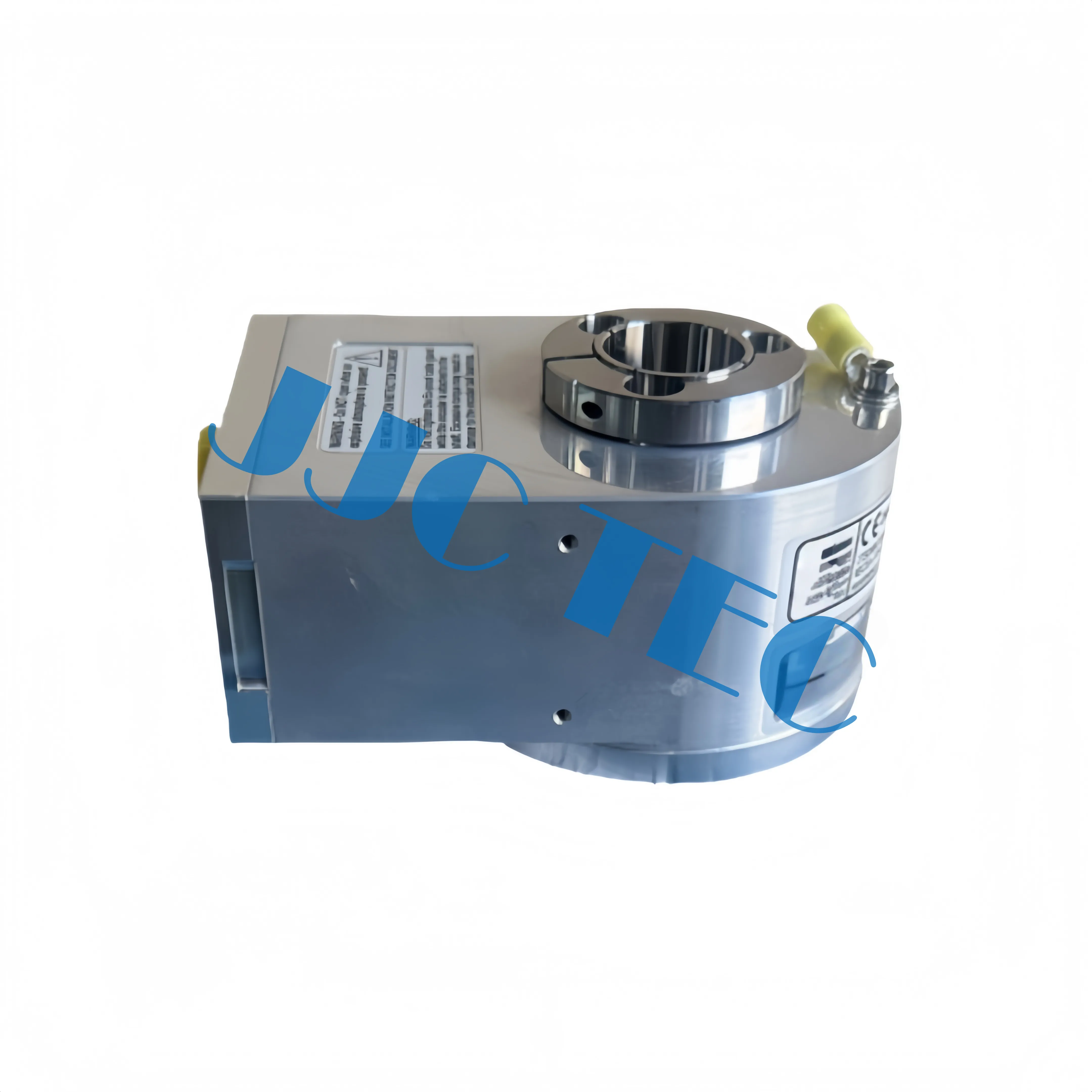
Does a malfunctioning encoder threaten your drilling timeline? As the vital sensory organ of the Top Drive System, this component ensures precise motor control. If it fails, your entire operation stops. In this guide, you will learn the exact steps to replace it and restore peak performance.
● Precision Alignment is Non-Negotiable: Even slight axial misalignment can cause bearing failure or signal jitter within the Top Drive System.
● Critical Safety Isolation: Always perform full LOTO (Lockout/Tagout) and verify the VFD DC bus discharge to prevent electrical injury.
● Accurate Wiring Documentation: Capturing the specific pinout for phases A, B, and Z is essential to avoid motor rotation errors or drive trips.
● Environmental Protection: High-quality sealing and anti-vibration mounting are the primary defenses against the harsh conditions of a Top Drive System.
● Software Synchronization: Replacing hardware is only half the job; you must calibrate VFD parameters and pulse counts for optimal performance.
Replacing an encoder requires more than just mechanical swapping; it demands surgical precision to ensure the Top Drive System interprets motor signals correctly. Follow this sequence to ensure a successful installation.
Initial Preparation and Component Access
Start by removing the protective cowling or motor fan shroud. Most encoders sit at the non-drive end of the drilling motor. Clear away any accumulated grease or drilling debris. Ensure you have adequate lighting and a stable platform, as these components are often located high in the derrick.
Decoupling the Existing Encoder
Loosen the set screws on the shaft coupling carefully. If the encoder uses a hollow-shaft design, back off the clamping ring. Avoid prying against the motor frame, as this can bend the thin flexible mounting plates. If the coupling is stuck, use a dedicated small-scale puller rather than a flathead screwdriver.
Wiring and Pinout Documentation
Before disconnecting anything, take a high-resolution photo of the terminal block. Map out the wiring for phases A, B, and Z, along with their inverted complements (A', B', Z') and power leads (usually +5V or +24V). Miswiring even one signal wire can cause the Top Drive System to run in the wrong direction or trigger instantaneous overcurrent trips.
Mounting the New Encoder Unit
Slide the new unit onto the shaft. It should seat firmly without excessive force. If the fit is too tight, check the shaft for burrs. Ensure there is no axial misalignment; the encoder should sit perfectly perpendicular to the motor shaft to prevent premature bearing wear inside the sensor unit.
Securing the Anti-Rotation Arm
The anti-rotation arm or "tether" prevents the encoder body from spinning while allowing the internal shaft to rotate. Tension it so it remains firm but not rigid. Over-tightening this arm introduces mechanical stress that leads to signal "jitter" and physical failure of the encoder’s internal bearings.
Environmental Sealing
Drilling environments are brutal. Re-apply high-grade silicone gaskets or inspect O-rings on the junction box cover. Ensure the cable gland is tight enough to prevent moisture from "wicking" down the wire into the encoder electronics.
Initial Power-Up and Signal Verification
Once installed, power the auxiliary system without spinning the main motor. Check the VFD diagnostic screen. It should show a steady "zero" speed rather than fluctuating values. Rotate the shaft by hand if possible to see if the pulse count increments logically.
Tip: Always use a calibrated torque wrench for the coupling set screws; over-torquing can distort the encoder’s hollow shaft and cause internal signal errors.
Note: Double-check that the replacement encoder's voltage rating matches the VFD output, as installing a 5V encoder into a 24V circuit will cause immediate hardware failure.
Safety is the absolute priority when maintaining a Top Drive System. These machines store massive amounts of electrical and mechanical energy.
LOTO (Lockout/Tagout) Procedures
Isolate the main power feed at the SCR or VFD house. Verify that the DC bus has fully discharged—this often takes several minutes after power-down. Lock the breaker in the "Off" position and keep the key on your person.
Working at Height Safety
Since the Top Drive System often sits high in the derrick during maintenance, use 100% tie-off procedures. Secure all tools with lanyards. A dropped wrench can be fatal to personnel on the drill floor and can cause catastrophic damage to the equipment below.
Electrostatic Discharge (ESD) Protection
Encoder internals use sensitive microelectronics. Wear an ESD wrist strap if possible, or at least touch a grounded part of the motor frame before handling the new encoder to discharge static buildup from your body.
Safety Check | Requirement |
Electrical Isolation | Lockout/Tagout (LOTO) at VFD |
Fall Protection | Full-body harness with dual lanyards |
Tool Security | All tools tethered to the technician or work basket |
Energy Discharge | Verify DC bus voltage is < 50V before entry |
You don't want to replace a perfectly good encoder only to find the problem was a frayed cable. Accurate diagnosis saves time and money.
Interpreting VFD Fault Codes
Look for specific codes like "ENC LOSS," "SPEED DEV," or "ENCODER PHASE." If the Top Drive System trips immediately upon starting, it usually indicates a total loss of signal or a wiring mismatch.
Signal Integrity Testing
Use a multimeter to check for the supply voltage at the encoder end. If power is present, use a portable oscilloscope to view the square waves. You should see clean, distinct pulses. "Rounded" waves suggest cable capacitance issues or interference rather than a failed encoder.
Physical Inspection
Rotate the motor slowly. Listen for clicking or grinding sounds coming from the encoder housing. Check the coupling; a loose set screw is a common "phantom" failure that mimics a broken encoder.
Distinguishing Between Noise and Hardware Failure
Electromagnetic Interference (EMI) often looks like encoder failure. If the speed fluctuates only when the motor is under heavy load, the problem might be poor shielding on the encoder cable rather than the encoder itself.
Note: If you find moisture inside the encoder housing, the primary failure isn't the encoder—it's the seal or the cable gland. Fix the leak first.
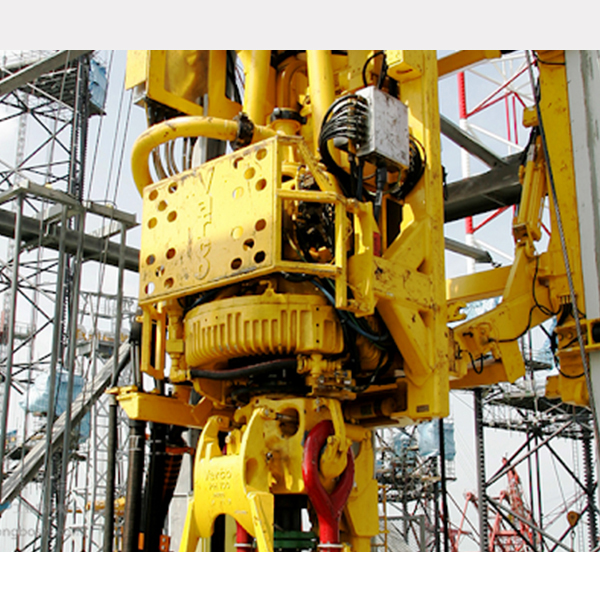
The Top Drive System requires specialized tools to prevent stripping threads or damaging the precision motor shaft.
● Precision Hand Tools: You will need a complete set of metric and imperial Allen keys, as different manufacturers use different standards. A small 1/4" drive torque wrench is essential.
● Specialized Pullers: A small gear puller designed for electronics helps remove the encoder hub without putting leverage on the motor bearings.
● Diagnostic Electronics: A signal generator or a "loopback" tester can verify the cable integrity from the derrick to the VFD house.
● Cleaning Agents: Use non-residue electronic contact cleaner. Avoid WD-40 or heavy degreasers near the encoder face.
Alignment is the difference between a repair that lasts a week and one that lasts a year. In a Top Drive System, vibration is constant, making alignment even more vital.
Shaft Runout Tolerance
Use a dial indicator to check the motor shaft runout. If the shaft is bent even slightly, the encoder will vibrate excessively. Most heavy-duty encoders can only handle a few thousandths of an inch of eccentricity.
Zero-Position (Z-Pulse) Synchronization
The Z-pulse (or Index pulse) occurs once per revolution. For some permanent magnet motors used in a Top Drive System, the drive needs to know exactly where this pulse sits in relation to the motor poles. You may need to perform a "static tune" or "encoder alignment" routine via the VFD software.
VFD Parameter Tuning
If the new encoder has a different Pulse Per Revolution (PPR) count (e.g., 1024 vs. 2048), you must update the VFD parameters. Failure to do this will result in the Top Drive System spinning at the wrong speed, potentially damaging the drill string.
Tip: After mounting, rotate the motor 360 degrees by hand while watching the dial indicator to ensure the encoder is perfectly centered.
Choosing a replacement for your Top Drive System involves more than just matching the part number. You must consider the operational environment.
PPR and Resolution Matching
The resolution determines how smoothly the motor runs at low speeds. Most modern systems use 1024 or 2048 PPR. Higher resolution provides better torque control but is more sensitive to electrical noise.
Mechanical Interface Compatibility
Check if your motor uses a "C-face" mount, a "Flower" mount, or a simple shaft coupling. Many Top Drive Systems use hollow-shaft encoders because they save space and are more resistant to axial motor movement.
Extreme Environment Ratings
Ensure the replacement is rated for "Oilfield Duty." This means it should have an IP67 rating and a wide temperature range (typically -40°C to +85°C). It must also be rated for high shock and vibration, as drilling creates constant harmonic resonance.
Never go straight to drilling after a replacement. You must validate the Top Drive System feedback loop first.
Unloaded Rotation Test
Run the motor at 10 RPM, then 50 RPM, then 100 RPM without any load. Watch the VFD speed feedback. It should be rock steady. If the speed value "jumps," the encoder is likely misaligned or picking up electrical interference.
Full Torque Ramp-Up
If the unloaded test passes, perform a "breakout" torque test or a stall test if the rig allows. This ensures the encoder signal stays clean even when the motor draws maximum current, which is when EMI is most likely to disrupt the signal.
Data Logging and Performance Review
Compare the new feedback data with historical records. If the motor temperature is higher than usual or the current draw is inconsistent, the encoder alignment might be slightly off, causing the VFD to "fight" the motor's natural rotation.
Tip: Document the final alignment and PPR settings in the rig’s maintenance log to simplify future troubleshooting.
Note: During the first few hours of operation after replacement, have a technician monitor the VFD for "soft errors" that don't trip the system but indicate signal degradation.
Replacing a Top Drive System encoder requires blending mechanical precision with electronic expertise. By following safety protocols and ensuring perfect alignment, you protect your drilling assets from expensive downtime. Proper installation maintains the torque control necessary for modern operations. JJC TEC provides high-performance encoders designed to withstand these harsh environments. Our durable components and expert support help you maintain peak efficiency. Regular inspections of seals and couplings will prevent future failures and keep your rig running smoothly.
A: It provides essential speed and position feedback, allowing the Top Drive System to maintain precise torque control.
A: Check VFD fault codes and inspect the Top Drive System for loose couplings or moisture ingress.
A: You need torque wrenches, signal simulators, and specialized pullers to service the Top Drive System properly.
A: Regular monthly inspections of the Top Drive System seals prevent unexpected downtime and electronic failure.


